
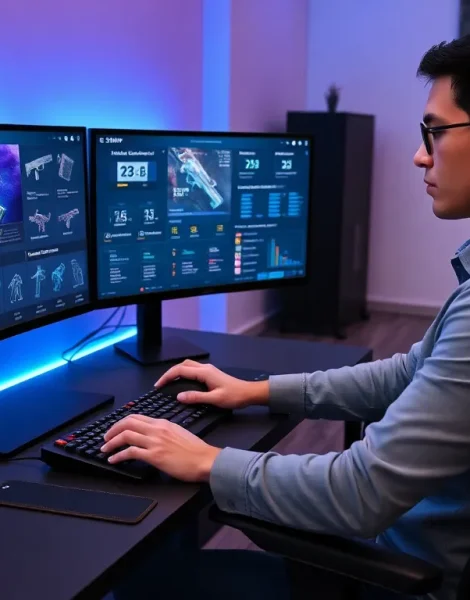
Destiny 2 tools can transform an average player into an efficient, well-equipped Guardian. Managing weapons, tracking stats, and crafting builds all become easier with the right resources. Bungie created a deep game with thousands of gear pieces, multiple subclasses, and endless build combinations. Third-party developers stepped up to fill the gaps the base game leaves open. This guide covers the best Destiny 2 tools available today. From item managers to mobile companion apps, these resources help players spend less time in menus and more time playing.
Table of Contents
ToggleKey Takeaways
- Destiny 2 tools like Destiny Item Manager (DIM) and Ishtar Commander let players transfer gear instantly, saving valuable time between activities.
- Stat trackers such as Destiny Tracker and Trials Report help Guardians analyze their performance and scout opponents before matches.
- Build crafting tools like D2ArmorPicker and Light.gg simplify finding optimal armor combinations and god-roll weapons.
- Community databases like Braytech track collection progress and guide players to missing triumphs and collectibles.
- Mobile companion apps extend Destiny 2 management beyond your console or PC, allowing gear transfers and fireteam coordination from anywhere.
- Combining multiple Destiny 2 tools—official and third-party—provides the most complete experience for efficient gameplay.
Item Management and Loadout Tools
Vault space runs out fast in Destiny 2. Players collect hundreds of weapons and armor pieces across three characters. Moving items manually through the game takes too long. Destiny 2 tools for item management solve this problem completely.
Destiny Item Manager (DIM) stands as the gold standard. This browser-based tool lets players move any item between characters and the vault instantly. DIM shows every weapon roll, armor stat, and mod in a clean interface. Players can create loadouts and equip them with one click. The tool also grades weapon rolls so Guardians know which drops to keep.
DIM’s loadout optimizer deserves special mention. It analyzes all armor pieces and finds combinations that hit specific stat targets. Want 100 Resilience and 100 Recovery? DIM finds the exact armor pieces needed.
Ishtar Commander offers similar features with a focus on mobile users. The app runs on iOS and Android devices. Guardians can transfer gear while loading into activities. This saves valuable time between matches or raids.
These Destiny 2 tools share one key benefit: they work faster than Bungie’s own systems. A raid team can swap loadouts in seconds instead of minutes. Competitive players gain an edge by switching weapons mid-match without visiting the Tower.
Stat Trackers and Performance Analyzers
Numbers tell stories in Destiny 2. Kill counts, win rates, and efficiency stats reveal player strengths and weaknesses. Destiny 2 tools focused on tracking help Guardians measure their progress.
Destiny Tracker provides the most comprehensive stat analysis. The site tracks PvP and PvE performance across every activity. Players see their Crucible K/D ratios, raid completions, and Trials of Osiris records. Leaderboards show how they rank against the global population.
The Elo rating system on Destiny Tracker gives context to PvP performance. This number rises and falls based on match results. Playing against higher-rated opponents and winning earns more points. Guardians can track their Elo over time to see improvement.
Trials Report focuses specifically on the weekend Trials of Osiris mode. Before a match starts, players can look up opponents and teammates. The tool shows win streaks, flawless counts, and most-used weapons. This intel helps teams prepare strategies.
Raid Report serves a similar function for PvE content. It displays raid completions, fastest clears, and challenge mode achievements. Raid teams often check this site when forming groups. A Guardian with 50 raid clears brings more experience than someone with 5.
These Destiny 2 tools create accountability. Players who track their stats tend to improve faster. The data shows what works and what doesn’t.
Build Crafting and Optimization Resources
Subclass 3.0 and armor mods create millions of possible builds in Destiny 2. Finding effective combinations requires research or experimentation. Destiny 2 tools for build crafting shortcut this process.
D2ArmorPicker helps players find perfect armor combinations. Users input their desired stat distribution, and the tool searches their inventory. It calculates which pieces create the highest stat totals with the right distribution.
Light.gg serves as a weapon database and roll analyzer. Every weapon in Destiny 2 appears on this site with full perk options. Community voting shows which perks perform best. The “God Roll” feature highlights the most popular combinations. Players can check Light.gg after any weapon drop to see if they got a keeper.
Build-sharing sites let Guardians copy successful setups. Mobalytics offers a Destiny 2 section with community-submitted builds. Each entry includes subclass choices, armor mods, and weapon recommendations. Players can import these builds directly into DIM.
YouTube creators also function as Destiny 2 tools. Channels like Aztecross and Datto break down new builds after each season. They test damage numbers and explain mod interactions. Watching a 10-minute video can save hours of trial and error.
The best builds combine fragment synergies, exotic armor perks, and weapon choices. These Destiny 2 tools make the math manageable.
Community Databases and Information Tools
Destiny 2 hides information everywhere. Quests give vague directions. Triumphs require specific actions the game never explains. Community-built databases fill these gaps.
Braytech tracks collection progress across the entire game. Players see which weapons, armor, ships, and sparrows they still need. The site maps out quest steps and shows exactly where to find collectibles. Guardians chasing titles rely on Braytech to identify missing triumphs.
The Destiny 2 API powers most of these tools. Bungie opened their game data to developers, and the community built an ecosystem around it. This collaboration produced better Destiny 2 tools than Bungie could make alone.
Reddit’s r/DestinyTheGame and r/Destiny2 function as living databases. New discoveries appear there first. Raid puzzle solutions, secret quest triggers, and exploit warnings spread through these communities. A quick search often answers specific questions faster than official sources.
Today in Destiny shows daily and weekly rotating content. Guardians check which Nightfall is active, what Xur is selling, and when lost sectors rotate. Planning play sessions becomes easier with this information.
These Destiny 2 tools share knowledge across the player base. Solo players gain access to information that once required a clan or Discord server.
Companion Apps for Mobile Play
Mobile apps extend Destiny 2 beyond the console or PC. Guardians can manage their accounts from anywhere.
Bungie’s official Destiny 2 Companion App offers basic functionality. Players can transfer items, check bounties, and claim season pass rewards. The LFG (Looking for Group) feature connects solo players with fireteams. Joining a raid group from your phone and having gear ready before logging in saves time.
Third-party Destiny 2 tools on mobile often outperform the official app. Little Light provides faster item transfers and better loadout management. The interface feels snappier than Bungie’s version. Ishtar Commander remains popular for its clean design and reliability.
Push notifications add another layer of utility. Some apps alert players when Xur arrives or when specific activities become available. Guardians with limited playtime can prioritize their sessions based on these alerts.
Mobile Destiny 2 tools also help with social coordination. Discord servers and companion apps keep raid teams connected. Scheduling tools help international groups find overlapping free time.
The best approach combines multiple apps. Bungie’s companion handles LFG and official features. A third-party app manages inventory. Together, they cover every need.


