
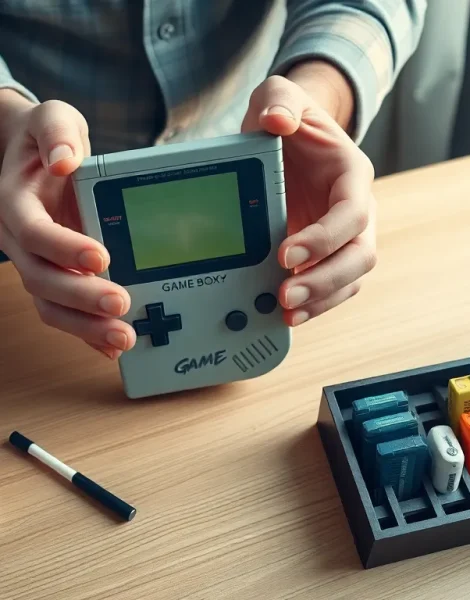
Game Boy tips can transform a frustrating gaming session into hours of uninterrupted fun. Nintendo’s iconic handheld has entertained millions since 1989, and it remains a favorite among retro gaming enthusiasts today. Whether someone just picked up a classic Game Boy at a garage sale or dusted off their childhood console, knowing a few essential tricks makes all the difference. This guide covers practical ways to extend battery life, improve screen visibility, maintain the hardware, care for cartridges, and unlock hidden features. These Game Boy tips help players squeeze every bit of enjoyment from their portable gaming experience.
Table of Contents
ToggleKey Takeaways
- Turn down the contrast wheel and use rechargeable NiMH batteries to significantly extend your Game Boy’s battery life.
- Angle the screen toward a light source or use clip-on lights to improve visibility on original Game Boy models without backlights.
- Clean cartridge contacts with 90%+ isopropyl alcohol instead of blowing into them, which causes long-term corrosion damage.
- Use a tri-wing screwdriver to open your Game Boy and clean the rubber contact pads for restored button responsiveness.
- Replace internal cartridge batteries in games like Pokémon to preserve save files before they’re lost after 15–20 years.
- Explore hidden features like startup button combinations and Game Boy Color palette changes to enhance your retro gaming experience.
Extend Your Battery Life
Battery life ranks as the top concern for most Game Boy owners. The original model drains four AA batteries in roughly 10 to 15 hours of gameplay. That adds up fast, especially during long road trips or gaming marathons.
One of the best Game Boy tips for saving power involves turning down the contrast wheel. Higher contrast settings force the screen to work harder, which pulls more juice from the batteries. Players should find the sweet spot where the screen stays readable without maxing out the dial.
Rechargeable batteries offer another smart solution. Modern NiMH rechargeable AAs provide consistent power output and pay for themselves after just a few cycles. They also reduce waste, a win for both wallets and the environment.
Players should avoid leaving games paused for extended periods. The Game Boy consumes nearly as much power when paused as during active gameplay. Turning the system off during breaks saves significant battery life over time.
For those using a Game Boy Color or Game Boy Advance, the same Game Boy tips apply. But, these later models handle power more efficiently. The Game Boy Advance SP includes a built-in rechargeable battery, which eliminates the need for disposables entirely.
Improve Screen Visibility
The original Game Boy’s screen looks washed out without proper lighting. Nintendo didn’t include a backlight, so players often struggled to see anything in dim rooms or during evening car rides.
Positioning matters more than most people realize. Angling the screen toward a light source, a lamp, window, or overhead light, dramatically improves visibility. This simple Game Boy tip solves most viewing problems without any extra equipment.
Clip-on lights designed for Game Boy models remain available from various sellers. These accessories attach to the system and illuminate the screen directly. They do drain batteries faster, but the trade-off proves worthwhile for players who game in low-light conditions.
Screen protectors prevent scratches that can permanently reduce clarity. A scratched screen scatters light and makes graphics harder to see. Applying a protector early keeps the display crisp for years.
Modders have developed aftermarket backlight kits for dedicated fans. These modifications require soldering skills but transform the viewing experience completely. A backlit original Game Boy feels like a brand-new console. This particular Game Boy tip appeals to collectors and serious retro gamers willing to invest time and effort.
Maintain and Clean Your Game Boy
Dirt, dust, and grime accumulate on any device that sees regular use. Game Boys often sit in storage for years, collecting debris that affects performance and appearance.
Cleaning the exterior requires only a soft cloth dampened with water or isopropyl alcohol. Players should avoid harsh chemicals that might damage the plastic shell. Cotton swabs work well for reaching crevices around buttons and the screen bezel.
Button responsiveness decreases when gunk builds up underneath. Opening the Game Boy and cleaning the rubber contact pads restores that satisfying click. This Game Boy tip requires a tri-wing screwdriver, which costs just a few dollars online.
The cartridge slot deserves regular attention too. Dust inside the slot causes connection problems and game crashes. A quick blast of compressed air clears out most debris. For stubborn buildup, a dry toothbrush gently loosens particles without causing damage.
Storing the Game Boy properly prevents future cleaning headaches. A protective case or even a ziplock bag keeps dust away between gaming sessions. Players should remove batteries before long-term storage to prevent corrosion from leaks.
Get More From Your Game Cartridges
Game cartridges contain the actual game data, and they need care to function reliably. A dirty or damaged cartridge causes freezing, graphical glitches, and failed boot attempts.
Cleaning cartridge contacts remains one of the most important Game Boy tips. Isopropyl alcohol (90% or higher) on a cotton swab removes oxidation and grime from the metal pins. Players should let the cartridge dry completely before inserting it.
Blowing into cartridges, a technique many grew up using, actually introduces moisture that accelerates corrosion. It might work temporarily, but it causes long-term damage. The alcohol method produces better results without the downsides.
Some cartridges contain internal batteries that save game progress. Games like Pokémon Red, Blue, and Yellow rely on these batteries. After 15 to 20 years, these batteries die and saves disappear. Replacing them requires soldering, but the process saves beloved save files. Several online tutorials walk players through the procedure step by step.
Storing cartridges upright in a cool, dry place extends their lifespan. Exposure to humidity and temperature extremes degrades the internal components over time. A simple game case or organizer protects the collection from environmental damage.
Master Hidden Features and Shortcuts
Nintendo packed clever features into the Game Boy that many players never discovered. Learning these tricks enhances the overall experience.
Holding certain button combinations during startup unlocks special modes in many games. For example, holding Select + Start while booting Tetris lets players choose their starting level. Each game has unique codes worth researching.
The Game Boy Color introduced a fun startup trick. Pressing different button combinations while the Nintendo logo appears changes the color palette of original Game Boy games. Players can cycle through dozens of color schemes to find their favorite look.
Link cable multiplayer opened up trading and battling possibilities. Two players with Game Boys and compatible games could connect for competitive or cooperative play. Pokémon trades and Tetris battles defined countless childhoods. Tracking down a link cable today unlocks these social features once again.
Game Genie and other cheat devices add another layer of fun. These cartridges sit between the Game Boy and game cartridge, allowing players to input codes for infinite lives, level skips, and other modifications. Collectors still trade these devices, and they work perfectly with original hardware.
These Game Boy tips reveal features that remain hidden in plain sight. A bit of experimentation and research uncovers even more secrets tucked inside individual games.